AI · Nov 1, 2026
Top 10 AI Image Generation Tools in 2026
By try.tools
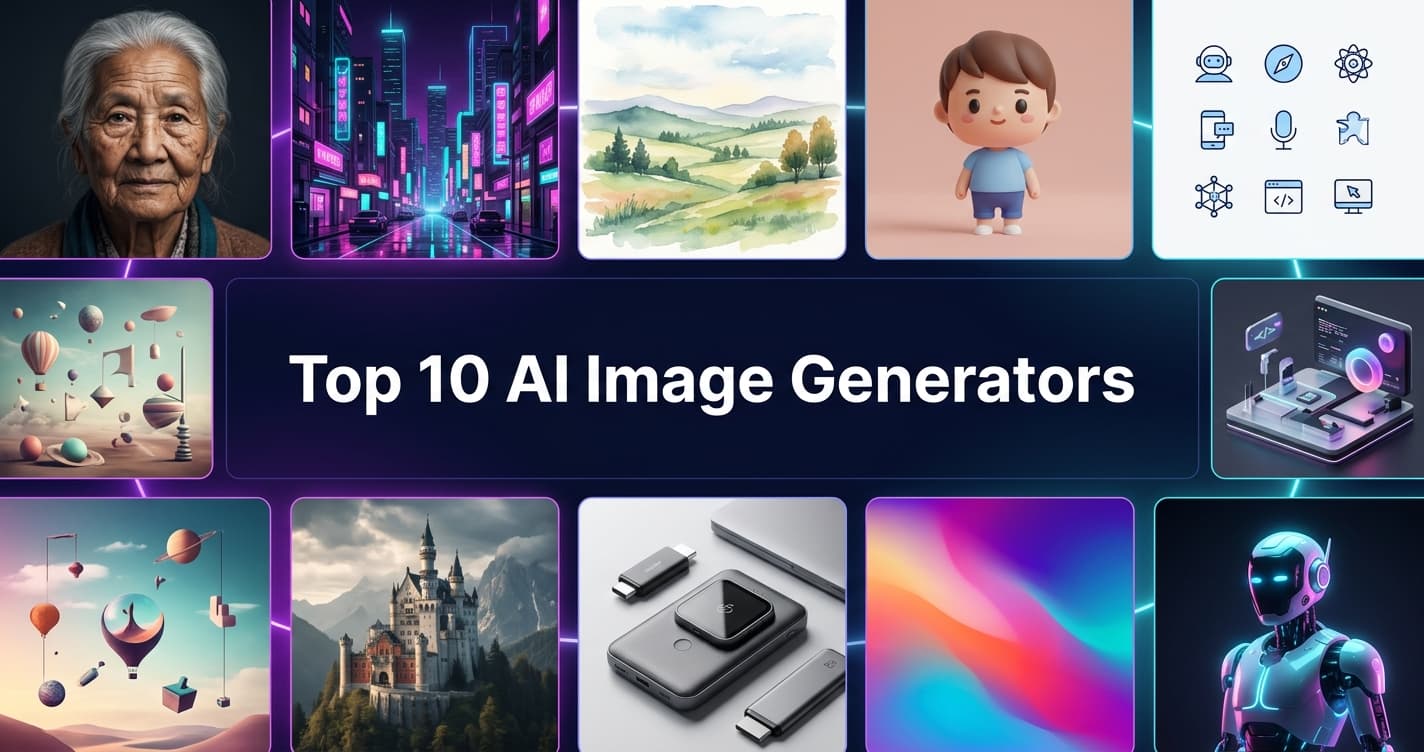
AI image generators have moved from novelty to everyday creative infrastructure. Designers use them for concepts, marketers for ad creatives, developers for app assets, and small businesses for social posts. The problem is no longer finding a tool but choosing one, because each excels at something different.
This guide ranks the 10 best AI image generation tools, explains how we compared them, and shows side by side where each one wins and where it falls short.
Quick verdict: which one should you pick?
| If you want... | Choose | Why |
|---|---|---|
| The most artistic, polished look | Midjourney | Strong default aesthetic with minimal prompting |
| The easiest way to start | ChatGPT Image Generation | Create and edit by simply chatting |
| Commercially safe, pro workflow | Adobe Firefly | Built into Photoshop and Illustrator |
| Full control and customization | Stable Diffusion | Open source, runs locally, fine-tunable |
| Realism and prompt accuracy | Flux | Sharp detail and strong prompt following |
| Everyday use inside Google tools | Google Gemini / Imagen | Fast, clean results with conversational edits |
| Game and character art | Leonardo AI | Fine-tuned models and asset-focused tools |
| Text inside images | Ideogram | Reliable typography for posters and logos |
| Non-designers and teams | Canva AI | Generate and design in one editor |
| Brand-consistent vectors and icons | Recraft | Vector output and consistent styles |
How we compared these tools
We judged each generator on the same six criteria so the ranking is logical and repeatable rather than a matter of taste:
- Image quality: realism, detail, composition, and anatomy (hands, faces, objects).
- Prompt adherence: how closely the result matches what you asked for.
- Text rendering: whether words inside the image are readable and correctly spelled.
- Editing and control: inpainting, outpainting, style references, aspect ratios, and upscaling.
- Commercial licensing: how clear and safe the terms are for business use.
- Value and access: free tier availability, pricing model, and API access.
Note: AI tools update constantly, so treat our assessments as general positioning and confirm current details on each tool's official site.
The 10 best AI image generation tools
1. Midjourney
Midjourney is the benchmark for visual style. Even short prompts tend to produce polished, cinematic, magazine-quality images, which is why it is so popular with artists and creative directors.
- Strengths: exceptional aesthetics, strong community inspiration, powerful style and variation tools.
- Limitations: subscription-based, and exact layouts or precise instructions can take several tries.
- Best for: concept art, mood boards, branding visuals, and social content with a signature look.
Tools featured in this post
10 tools from the Try.Tools directory
Midjourney 
Image Tools
Creative AI image generator popular with artists and designers.
PAIDNo reviews yet
ChatGPT
Developer Tools
Conversational AI assistant.
PAIDNo reviews yet
Adobe Firefly
AI Image Tools - Design Generators
Transform text into vibrant images and designs, boosting creativity effortlessly
PAIDNo reviews yet
Stable Diffusion
Image Tools
Open model ecosystem for AI image generation, offering a freemium plan with advanced features for creative professionals and teams.
FREEMIUMNo reviews yet
FLUX.1
AI Image Tools - Design Generators
AI-driven tool for exceptional, high-quality image generation
FREEMIUMNo reviews yet
Google Gemini
AI Text Generators - Writing Generators
Harness multimodal AI for innovation, efficiency, and scalability with Google's advanced, developer-friendly platform
FREEMIUMNo reviews yet
Leonardo AI
Image Tools
AI-assisted image and asset generation platform designed for creatives, offering tools to produce high-quality digital visuals efficiently.
FREEMIUMNo reviews yet

Ideogram
Image Tools
Ideogram is an AI-powered image generation tool specializing in strong and clear text rendering within images, ideal for creative professionals and teams.
FREEMIUMNo reviews yet
Canva
Design & Creative
Canva is a versatile online design platform offering drag-and-drop tools, templates, and collaboration features for individuals and teams to create presentations, social media content, videos, and more.
FREEMIUMNo reviews yet
Recraft
AI Art Generators - Avatars
You can generate unlimited avatars with <strong>Recraft's AI avatar tool</strong>. Generate up to six images in one go, and regenerate as many times as you want. Upload AI avatars to any platform. Use them as profile pictures for Facebook, X, Instagram, LinkedIn, and more!
SUBSCRIPTIONNo reviews yet
2. ChatGPT Image Generation (OpenAI)
Built directly into ChatGPT, this tool lets you describe an image, then refine it through conversation: "make the background darker", "add a logo", "change the style". It handles long, detailed prompts and in-image text well.
- Strengths: easiest learning curve, strong prompt understanding, natural editing workflow.
- Limitations: fewer fine-grained manual controls than dedicated image platforms.
- Best for: beginners, marketers, and anyone who wants to iterate quickly by chatting.
3. Adobe Firefly
Firefly is Adobe's generative AI family, positioned around commercially safe output and deep integration with Photoshop, Illustrator, and Adobe Express. Features such as Generative Fill and Generative Expand slot directly into professional editing workflows.
- Strengths: clear commercial positioning, native Adobe integration, strong editing tools.
- Limitations: works best if you already use Adobe products; credits can limit heavy use.
- Best for: professional designers, agencies, and brands with strict licensing requirements.
4. Stable Diffusion
Stable Diffusion is the leading open-source image model family. You can run it on your own machine, train custom models, and extend it with tools like ControlNet for pose, depth, and composition control.
- Strengths: maximum control, no per-image fees when self-hosted, huge community of models and plugins.
- Limitations: technical setup and a capable GPU are needed for local use.
- Best for: developers, researchers, and power users who want full ownership of their pipeline.
5. Flux (Black Forest Labs)
Flux models are admired for crisp detail, strong prompt adherence, and good handling of anatomy and complex scenes. They are available through multiple platforms and APIs, including open-weight variants.
- Strengths: realism, prompt accuracy, flexible access options.
- Limitations: the experience depends on which platform or app you use it through.
- Best for: photorealistic images and developers building image features into products.
6. Google Gemini / Imagen
Google's image models are available through Gemini and other Google creative tools. They produce clean, realistic results, support conversational editing, and fit naturally into the Google ecosystem.
- Strengths: speed, ease of use, ecosystem integration.
- Limitations: fewer advanced style and fine-tuning options than specialist tools.
- Best for: everyday creation, presentations, and Google Workspace users.
7. Leonardo AI
Leonardo is a full creative suite with fine-tuned models, image-to-image, upscaling, and asset-focused features. It is especially popular for game art, characters, and consistent visual styles.
- Strengths: wide model selection, production-oriented tools, a free tier to experiment with.
- Limitations: many options can overwhelm new users.
- Best for: game developers, illustrators, and concept artists.
8. Ideogram
Ideogram built its reputation on rendering readable, correctly spelled text inside images, something many generators historically struggled with. That makes it a go-to for posters, logos, and social graphics.
- Strengths: strong typography, good design sensibility, simple interface.
- Limitations: more specialized than all-in-one platforms.
- Best for: posters, thumbnails, quote graphics, and typography-heavy designs.
9. Canva AI (Magic Media)
Canva's image generator lives inside its design editor, so you can generate a visual and immediately place it in a presentation, social post, or print layout without switching apps.
- Strengths: all-in-one workflow, templates, brand kits, team collaboration.
- Limitations: less control and depth than dedicated image generators.
- Best for: non-designers, small businesses, and social media teams.
10. Recraft
Recraft focuses on brand-consistent output, including vector graphics, icons, and illustrations in a unified style. It stands out because few generators produce clean, editable vectors.
- Strengths: vector output, style consistency, design-friendly results.
- Limitations: less focused on photorealistic imagery.
- Best for: brand designers, UI and web assets, icons, and illustrations.
Feature comparison
This table shows how the tools compare on the capabilities that matter most in practice. Ratings reflect general positioning and may change as products update.
| Tool | Image quality | Text in images | Editing tools | Open source / open weights | API access |
|---|---|---|---|---|---|
| Midjourney | Excellent | Moderate | Good | No | Limited |
| ChatGPT Images | Very good | Strong | Good (conversational) | No | Yes |
| Adobe Firefly | Very good | Good | Excellent | No | Yes |
| Stable Diffusion | Very good | Moderate | Excellent (with extensions) | Yes | Yes |
| Flux | Excellent | Good | Good | Partly (open-weight variants) | Yes |
| Gemini / Imagen | Very good | Strong | Good (conversational) | No | Yes |
| Leonardo AI | Very good | Moderate | Very good | No | Yes |
| Ideogram | Very good | Excellent | Good | No | Yes |
| Canva AI | Good | Moderate | Good (inside Canva editor) | No | Limited |
| Recraft | Very good | Good | Good | No | Yes |
Pricing model comparison
We deliberately compare how each tool charges rather than quoting exact prices, because plans change frequently. Always confirm current pricing on the official website.
| Tool | Typical pricing model | Free option | Best value for |
|---|---|---|---|
| Midjourney | Monthly subscription tiers | Usually limited or none | Frequent creators who value style |
| ChatGPT Images | Included in ChatGPT plans | Limited free usage | People already using ChatGPT |
| Adobe Firefly | Credits with Adobe plans | Limited free credits | Existing Adobe subscribers |
| Stable Diffusion | Free to self-host; paid hosted services | Yes (self-hosted) | Technical users with a good GPU |
| Flux | Pay-per-image via APIs; some open weights | Varies by platform | Developers and high-volume use |
| Gemini / Imagen | Included in Google plans; API usage fees | Yes, with limits | Casual and Workspace users |
| Leonardo AI | Free daily credits plus paid tiers | Yes | Testing and mid-volume asset creation |
| Ideogram | Free tier plus paid plans | Yes | Occasional text-heavy designs |
| Canva AI | Included in Canva plans with usage limits | Yes, limited | Teams already on Canva |
| Recraft | Free credits plus paid tiers | Yes, limited | Designers needing vectors |
At-a-glance comparison
| Tool | Best for | Skill level | Standout feature | Main drawback |
|---|---|---|---|---|
| Midjourney | Artistic visuals | Beginner to advanced | Distinctive, cinematic style | Less precise for exact layouts |
| ChatGPT Images | Beginners, iteration | Beginner | Conversational editing | Fewer manual controls |
| Adobe Firefly | Professionals | Intermediate | Photoshop integration | Best value inside the Adobe ecosystem |
| Stable Diffusion | Developers, power users | Advanced | Open source and customizable | Setup and hardware required |
| Flux | Realism, developers | Intermediate to advanced | Prompt accuracy and detail | Access varies by platform |
| Gemini / Imagen | Everyday creation | Beginner | Google ecosystem | Fewer advanced style controls |
| Leonardo AI | Game assets | Intermediate | Fine-tuned models | Interface has a learning curve |
| Ideogram | Typography designs | Beginner | Accurate in-image text | Narrower focus than all-rounders |
| Canva AI | Small businesses | Beginner | Built-in design editor | Less depth than dedicated generators |
| Recraft | Branding, UI assets | Intermediate | Vector graphics | Less suited to photorealism |
Best AI image generator by use case
| Use case | Top pick | Runner-up |
|---|---|---|
| Social media posts | Canva AI | Ideogram |
| Logos and typography | Ideogram | Recraft |
| Concept art and illustration | Midjourney | Leonardo AI |
| Photorealistic images | Flux | Gemini / Imagen |
| Professional photo editing | Adobe Firefly | Stable Diffusion |
| Game assets and characters | Leonardo AI | Stable Diffusion |
| Icons and vector graphics | Recraft | Adobe Firefly |
| Building image features into an app | Flux (API) | Stable Diffusion |
| Quick everyday visuals | ChatGPT Images | Gemini / Imagen |
| Commercial work with strict licensing | Adobe Firefly | Canva AI |
How to choose the right tool
- Define your main goal. Art, marketing, product design, or app development each point to different tools.
- Check your skill level. Beginners do well with ChatGPT, Gemini, Canva, or Ideogram; advanced users may prefer Stable Diffusion or Flux.
- Review licensing needs. For client or commercial work, read each tool's terms carefully, and consider Firefly if safety is the priority.
- Compare costs over time. A free tier is fine for testing, but heavy users should compare subscription and per-image pricing.
- Test the same prompt in two or three tools. This is the fastest, most honest way to find your favorite.
Tips for getting better AI images
- Be specific. Describe subject, setting, style, lighting, and camera angle.
- Name a medium. Phrases like "studio photograph", "watercolor", or "3D render" shape the output.
- Set the format. Choose the right aspect ratio for the platform you are designing for.
- Iterate in small steps. Change one detail at a time to learn what works.
- Use reference images when a tool supports them, to keep style and characters consistent.
- Check results carefully. Look for odd hands, distorted text, and small errors before publishing.
Frequently asked questions
What is the best free AI image generator?
Several tools offer free access with limits, including Leonardo AI, Ideogram, Canva, and Gemini. Stable Diffusion is free to run yourself if you have suitable hardware.
Which AI image generator is best for beginners?
ChatGPT Image Generation, Gemini, and Canva AI are the easiest to start with, since you can describe what you want in plain language and refine it conversationally.
Can I use AI-generated images commercially?
It depends on the tool and your plan. Some platforms allow commercial use on paid plans, and Adobe Firefly is positioned around commercial safety. Always read the current terms before using images for business.
Which tool is best for text inside images?
Ideogram is widely recognized for text rendering, with ChatGPT Image Generation and Gemini also performing well.
Is Stable Diffusion better than Midjourney?
They serve different needs. Midjourney gives beautiful results with little effort, while Stable Diffusion offers deep customization and ownership at the cost of more setup.
Final verdict: our top picks
There is no single best AI image generator, only the best one for your situation. Here is the short version of everything above:
| Category | Our pick | Why |
|---|---|---|
| Best overall for beauty | Midjourney | Consistently striking, polished images |
| Best for beginners | ChatGPT Image Generation | Simple, conversational, flexible |
| Best for professionals | Adobe Firefly | Workflow integration and commercial focus |
| Best for control | Stable Diffusion | Open source and endlessly customizable |
| Best for realism | Flux | Detail and prompt accuracy |
| Best for text and posters | Ideogram | Reliable typography |
| Best for small businesses | Canva AI | Generate and design in one place |
| Best for vectors and branding | Recraft | Clean, consistent brand assets |
Our recommendation
Start with one all-rounder such as ChatGPT or Gemini to learn how prompting works. Then add a specialist: Midjourney for artistic work, Ideogram for typography, Firefly for professional editing, or Stable Diffusion and Flux if you want deeper control. Most tools offer a free tier or trial, so testing two or three with the same prompt costs you very little.
Before you publish AI images
- Read the licensing and commercial-use terms of the tool and plan you use.
- Avoid prompts that imitate living artists or trademarked characters.
- Review every image for errors, distorted text, or unintended details.
- Consider disclosing AI use where your platform or audience expects it.
Disclaimer: AI tools, features, and pricing change frequently. The information in this article reflects general positioning at the time of writing, so please confirm current details on each tool's official website before making a decision.
Ready to explore more? Browse the full Try.Tools directory to compare hundreds of AI tools, or check our other guides and comparisons to find the right tool for your next project.
Related posts
Nov 15, 2026
Top 10 AI Tools for Jobs & Career in 2026
Job hunting is faster and smarter with AI. We compare the 10 best AI tools for resumes, ATS checks, interview practice, job tracking, and career growth, and tell you exactly which…
Nov 12, 2026
Top 10 Education and Learning Tools in 2026
Looking for the best education and learning tools? We compare the top 10 for students, teachers and self-learners, including Khan Academy, Duolingo, Coursera, Udemy, Quizlet, Noteb…
Nov 11, 2026
Top 10 AI Automation Tools in 2026
Discover the 10 best AI automation tools ranked from 1 to 10. Detailed reviews, pros and cons, pricing approach, and a full side-by-side comparison to help you pick the right platf…