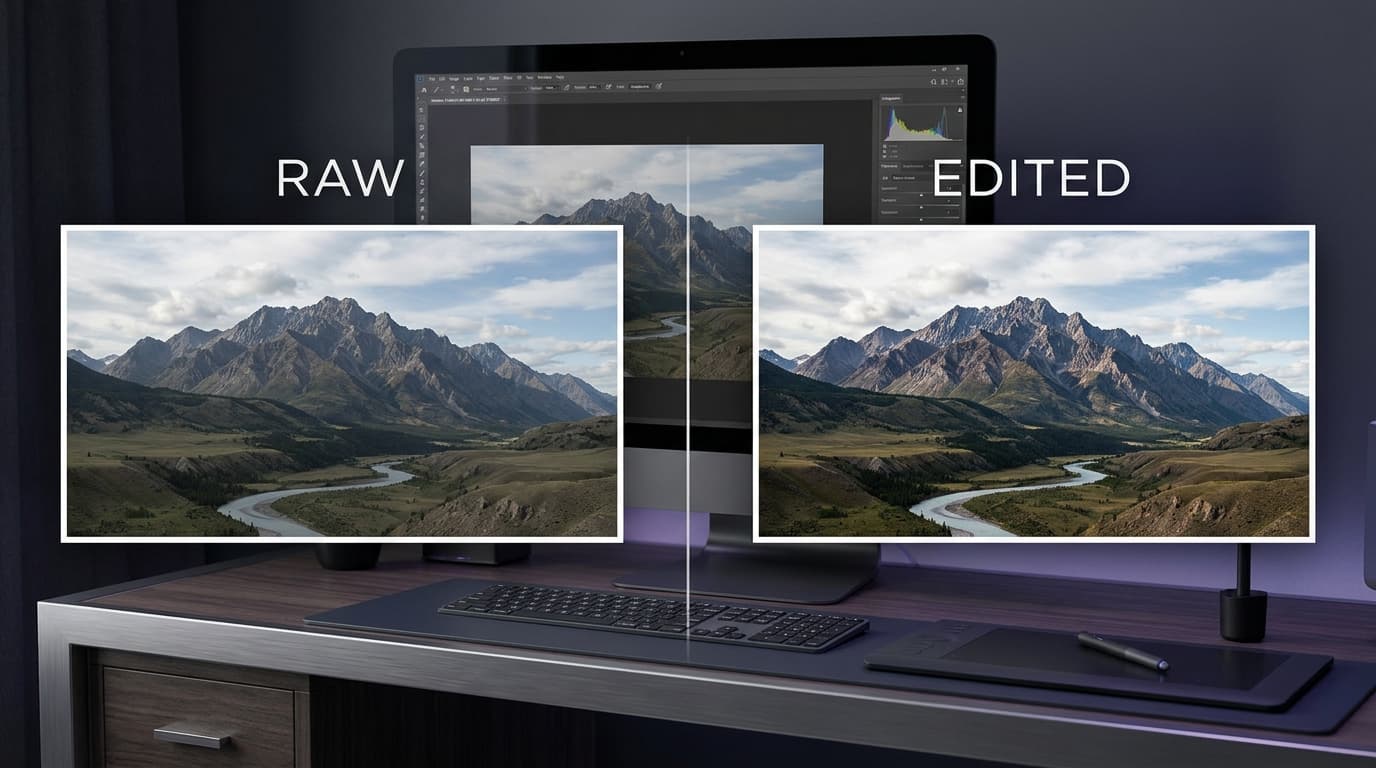
Photography has changed dramatically in the digital age. From social media posts and online shopping to advertising campaigns and professional portfolios, edited images have become a regular part of how people communicate visually. A photograph captured with a camera is often only the beginning of the creative process.
Today, photographers, designers, content creators, and businesses use photo editing to improve colors, correct exposure, remove distractions, and communicate a particular mood. Some edits are subtle, while others transform an image into an entirely new visual experience.
But why are edited photos so common, and does that mean raw photography is becoming less important? The answer involves social media culture, digital marketing, creative expression, artificial intelligence, and the growing accessibility of editing software.
What Is the Difference Between a RAW Photo and an Edited Photo?
A RAW photo contains relatively unprocessed image data captured by a camera sensor. It generally preserves more information for adjustments to exposure, white balance, shadows, highlights, and color. RAW files are commonly used by photographers who want greater control during post-processing.
An edited photo is an image that has been adjusted or modified using software. Editing may include simple corrections, such as brightness and contrast, or advanced changes, such as background replacement, object removal, retouching, compositing, and AI-assisted enhancements.
It is important to understand that RAW does not automatically mean more authentic or better. RAW describes a file format and processing stage, while editing describes what happens to an image. Many professional photographers edit RAW files before exporting the final photograph.
| Feature | RAW Photograph | Edited Photograph |
|---|---|---|
| Image data | Usually preserves substantial original sensor information | Depends on the editing process and exported format |
| Color and contrast | May look relatively flat before processing | Can have carefully adjusted colors and contrast |
| Creative control | Offers flexibility for later adjustments | Reflects the creator's editing choices |
| Typical formats | Camera-specific RAW formats, such as CR3 or NEF | Commonly JPEG, PNG, TIFF, or other exported formats |
| Common use | Photography workflows and image archiving | Websites, social media, advertisements, and publications |
Key takeaway: RAW files are valuable for flexibility and image processing, while edited photographs are often better prepared for a specific audience, platform, or creative purpose.
Why Are Edited Photos More Popular Today?
1. Social Media Encourages Polished Visuals
Social media platforms have made photography part of everyday communication. People share travel experiences, food, fashion, personal milestones, products, and professional achievements through images.
Because users often scroll through large amounts of visual content, creators look for ways to make their photographs clear, attractive, and memorable. Adjusting brightness, correcting colors, improving composition, and removing distracting elements can help a photo communicate its message more effectively.
However, an edited image does not automatically receive more engagement. Audience interest, relevance, timing, composition, and the quality of the content also influence how people respond.
Why it matters: Editing gives creators more control over the visual presentation of their content, but authenticity and relevance remain important.
2. Businesses Need Consistent Product Photography
Online stores and digital businesses depend on images to explain what they sell. Customers often cannot inspect a product physically before purchasing, so product photographs play an important role in setting expectations.
Editing can help businesses correct lighting, maintain consistent backgrounds, improve cropping, and present products clearly across their catalogs. A consistent visual style can also make a website appear more organized and professional.
For example, an online clothing store may adjust exposure and white balance so product images look consistent across different pages. A furniture store might remove distracting objects from the background while keeping the product's shape, material, and color accurate.
Important: Product editing should not misrepresent an item's actual color, size, condition, or features. Accurate photographs help customers make informed purchasing decisions.
3. Editing Improves Technical Image Quality
Even a well-composed photograph may need technical adjustments. Lighting conditions, camera settings, environmental factors, and limitations of the capture device can affect the final image.
Photo editing software allows users to correct many of these issues. Common adjustments include:
- Exposure correction: Brightening or darkening an image to improve visibility.
- White balance: Correcting color casts caused by different lighting conditions.
- Contrast adjustment: Improving the separation between lighter and darker areas.
- Sharpening: Enhancing the appearance of fine details when appropriate.
- Noise reduction: Reducing distracting image noise, particularly in low-light photographs.
- Cropping and straightening: Improving composition and removing unnecessary areas.
These changes do not necessarily make a photograph artificial. In many cases, editing helps the final image more closely communicate the scene or intention of the photographer.
4. Creative Expression Goes Beyond the Camera
Photography is both a technical process and a creative medium. Photographers may use editing to establish a particular mood, direct attention toward the subject, or create a recognizable visual style.
For example, a travel photographer might emphasize warm sunset colors, while a commercial photographer may use controlled lighting and consistent color grading to match a brand's identity.
Advanced editing can also combine several images, replace backgrounds, create composites, or produce surreal visual effects. These techniques allow creators to make images that would be difficult or impossible to capture in a single camera exposure.
The result: Photo editing expands creative possibilities beyond the moment when the shutter is pressed.
5. AI Has Made Photo Editing More Accessible
Artificial intelligence is changing how people edit photographs. Tasks that once required detailed manual work can now be completed with automated tools, depending on the application and the image.
Modern AI-assisted editors may offer features such as:
- Automatic background removal.
- Object selection and removal.
- Image upscaling and detail enhancement.
- Noise reduction and portrait adjustments.
- Generative image expansion.
- Automatic masking and subject selection.
- Color correction suggestions and workflow automation.
These features can help beginners work more quickly and allow experienced creators to spend more time on creative decisions. However, AI-generated details can sometimes be inaccurate, so important images should be reviewed carefully.
Remember: AI can assist with editing, but it does not eliminate the need for good visual judgment, accurate representation, and human review.
Popular Photoshop and Photo Editing Tools
Different tools serve different purposes. Some are designed for professional retouching, while others prioritize affordability, browser-based access, or simple design workflows.
1. Adobe Photoshop
Adobe Photoshop is a widely used image editing application for photographers, graphic designers, digital artists, and marketing teams. It supports advanced retouching, layer-based editing, compositing, selections, masks, and a range of AI-assisted features.
Best for: Professional photo editing, detailed retouching, creative composites, and advanced graphic design.
Consider it when: You need precise control over individual parts of an image and a flexible professional workflow.
2. Affinity Photo
Affinity Photo is an image editing application designed for detailed photo adjustments, retouching, and compositing. It is an option worth comparing for users who want advanced editing capabilities outside the traditional Photoshop workflow.
Best for: Photographers and designers who want advanced image editing tools.
Consider it when: You want to compare available features, platform compatibility, and current licensing terms before choosing an editor.
3. GIMP
GIMP is a free, open-source image editor that offers tools for image manipulation, retouching, and graphic design. It can be useful for users who want to edit images without purchasing a commercial application.
Best for: Budget-conscious creators, students, and users who prefer open-source software.
Consider it when: You want a flexible editing environment and are comfortable learning its interface and workflow.
4. Photopea
Photopea is a browser-based image editor that supports a range of common image formats, including PSD files. Because it runs in a web browser, it can be convenient for quick editing tasks without installing a traditional desktop application.
Best for: Users who need browser-based editing and compatibility with common design file formats.
Consider it when: You want to edit an image on a compatible device without setting up a full desktop workflow.
5. Canva
Canva combines design tools with accessible image editing features. It is particularly useful for social media graphics, presentations, marketing materials, and other content that combines photographs with text and layout elements.
Best for: Beginners, social media managers, marketers, and small businesses.
Consider it when: Your goal is to create a complete visual design rather than perform highly detailed photo retouching.
Photo Editing Tools Compared
| Tool | Main Strength | Suitable Users | Before Choosing |
|---|---|---|---|
| Adobe Photoshop | Advanced editing and compositing | Professionals and digital artists | Check current subscription pricing and system requirements |
| Affinity Photo | Detailed image manipulation | Photographers and designers | Verify current licensing and platform availability |
| GIMP | Free, open-source editing | Students and budget-conscious users | Consider the learning curve and required features |
| Photopea | Browser-based editing | Casual users and designers | Check browser compatibility and available features |
| Canva | Designs combining images and layouts | Marketers and content creators | Check which features require a paid plan |
No single application is ideal for every task. The right choice depends on your editing goals, experience, device, budget, and preferred workflow.
Are Edited Photos Always Better Than Raw Photos?
Not necessarily. Editing can improve the presentation of an image, but it can also introduce problems when it is excessive or misleading.
For documentary photography, journalism, scientific work, and certain forms of evidence, preserving the original image and maintaining transparency about changes may be especially important. In commercial photography, editing can improve presentation, but the final result should still represent the subject accurately.
Overediting can cause unnatural skin textures, unrealistic colors, excessive sharpening, and the loss of important details. Generative tools may also introduce elements that were never present in the original scene.
| Situation | Useful Approach |
|---|---|
| Professional portrait | Use careful retouching while preserving natural features and texture. |
| Online product listing | Improve lighting and clarity while keeping product details accurate. |
| Journalism or documentary work | Follow the relevant publication's rules and preserve the integrity of the scene. |
| Creative digital art | Use stronger edits or composites when they support the intended artistic vision. |
| Personal social media | Choose a style that reflects your preferences without feeling pressured to overedit. |
Balanced perspective: Raw and edited photographs are not competing categories. A RAW file can be the starting point for a carefully edited final image, and a lightly edited photo can remain realistic and authentic.
How to Get Better Results When Editing Photos
You do not need to apply dozens of effects to improve an image. A thoughtful workflow can often produce better results than making every adjustment available in your software.
- Start with the original: Keep a backup of the original file so you can return to it if necessary.
- Correct exposure first: Adjust brightness, highlights, and shadows before applying stylistic effects.
- Check white balance: Aim for believable colors unless a deliberate creative look is required.
- Improve composition: Crop distractions and ensure the subject is easy to understand.
- Retouch selectively: Remove distractions without unnecessarily changing important features.
- Use AI carefully: Review generated or automatically modified areas for mistakes.
- Export for the destination: Choose appropriate dimensions, format, and compression for print, web, or social media.
- Review the final image: Inspect it at both full size and the size at which people will normally view it.
Practical tip: Make small adjustments, compare the result with the original, and stop when the image meets its purpose. More editing does not automatically mean better editing.
The Future of Photo Editing
Photo editing is likely to continue evolving as AI tools, mobile applications, and professional creative software become more capable. Automated masking, object removal, image expansion, and intelligent adjustments can already simplify many workflows.
At the same time, the growing availability of realistic image manipulation makes transparency and visual literacy increasingly important. Audiences may need to consider whether an image is a documentary photograph, a heavily retouched image, a composite, or an AI-generated visual.
For photographers and designers, the most valuable skills will include more than learning individual software features. Understanding lighting, composition, color, storytelling, ethics, and audience expectations will remain essential.
Technology may make editing easier, but thoughtful creative decisions will continue to distinguish effective visual communication from images that merely contain effects.
Frequently Asked Questions
Why are edited photos so common on social media?
Editing makes it easier to adjust colors, exposure, composition, and visual style. Creators often use these adjustments to present their content consistently, although editing alone does not guarantee higher engagement.
Are RAW photos better quality than edited photos?
RAW files generally preserve substantial image data for further processing, but they may need development before sharing. A carefully edited export can look better for a particular purpose while the original RAW file remains valuable for future adjustments.
Is Photoshop the only option for photo editing?
No. Alternatives include Affinity Photo, GIMP, Photopea, and Canva. Each serves different needs, and users should compare features, costs, compatibility, and ease of use.
Can AI edit photos automatically?
Yes. Some applications can automatically remove backgrounds, reduce noise, select subjects, enhance images, or generate additional content. Results vary, so reviewing the final image is important.
Is it wrong to edit photographs?
No. Editing is a normal part of many photography workflows. The important consideration is whether the editing fits the intended purpose and whether changes could mislead the audience.
Conclusion
Edited photographs have become common because they help creators prepare images for social media, online stores, marketing campaigns, creative projects, and professional portfolios. Modern software makes it possible to correct technical issues, refine visual style, and complete many tasks more efficiently than before.
Tools such as Adobe Photoshop, Affinity Photo, GIMP, Photopea, and Canva offer different approaches to image editing, from advanced retouching to accessible browser-based design. AI is also making many editing tasks easier, although human review remains important.
Still, raw photography has not lost its value. Original files provide flexibility, preserve important image information, and can help maintain a reliable record of what was captured.
The best approach is to use editing with purpose: improve the image where necessary, preserve authenticity when it matters, and choose tools that support your creative goals.
Note: Software features, licensing terms, pricing, and availability can change. Check the official websites of the relevant tools for the latest information.